
Pitch
Project Paint is a 2.5D platformer where the player explores a vast city in order to bring color and life back to it.
The intent of this game was to create a platformer focused on changing the environment and how the player interacts with it in order to progress
Overview
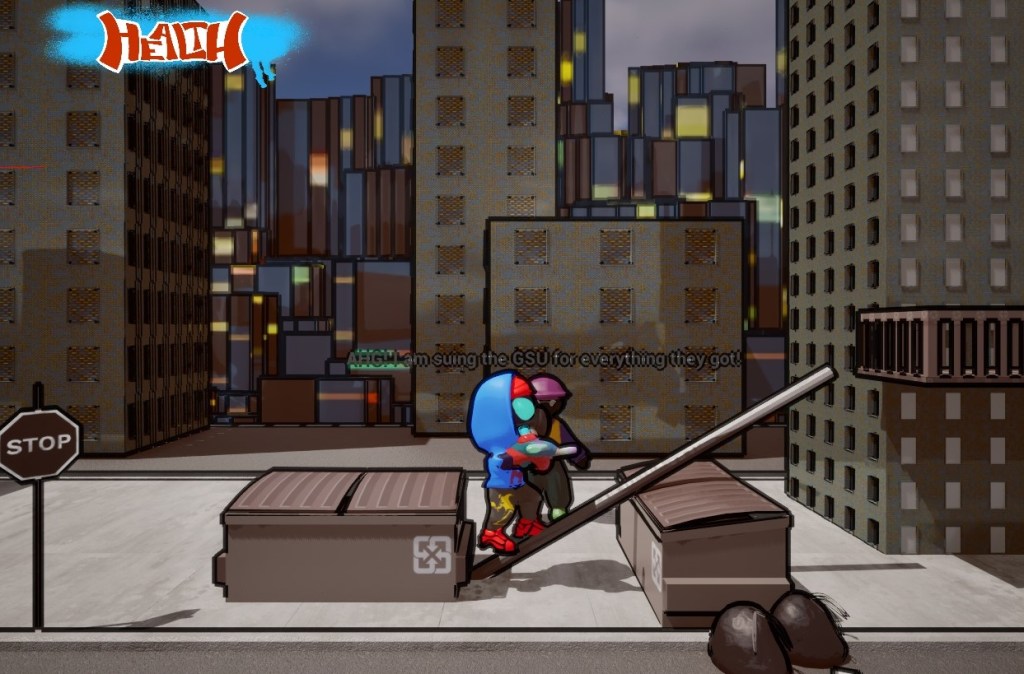
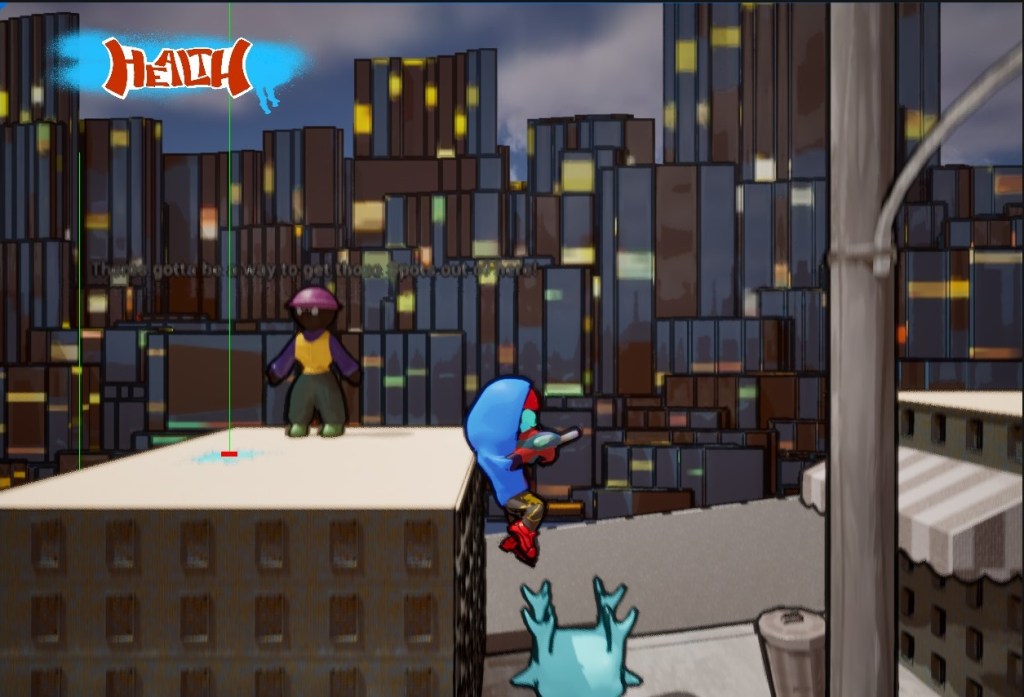
In Project Paint, the player explores a city devoid of color and style, taken over by a large corporation determined to keep all color for themselves. As a wandering street artist, your goal is to make it through the city by painting the environment to solve platforming and combat challenges. The player has a paintball gun they can aim and fire to paint any surface as well as enemies laid out by the corporation. The player can swap the color of paint to change the effect. The blue paint allows the player to bounce off of those surfaces like a trampoline, giving them more height and allowing them to bounce off of walls as well. The pink paint is sticky, slowing player movement, but allowing the to stick to walls to climb them. The player is also able to paint enemies and once an enemy is fully painted, they are stunned and the player can jump on them to defeat them. New paints can be unlocked throughout the course of the game and incentivize the player to back track in order to make it to new areas and explore with their new abilities.
Platform
PC/Console
Date
Fall 2023
Genre
Platforming
Role
Systems/
Level Design
ROLE 1
UI Designer
While the artists on our team worked on the assets for the UI for the HUD and menus, I was in charge of wireframing everything and implementing it with the current systems to work in game. I was also in charge of getting feedback on these elements and communicating with the art team to see the feedback implemented. One area where this was done was with the HUD. The important parts were displaying player health and the current color of the paint they were using. Through rounds of iteration, I came up with the design and flow of it to create a very adaptable UI that doesn’t clutter the screen and highlights the important info.
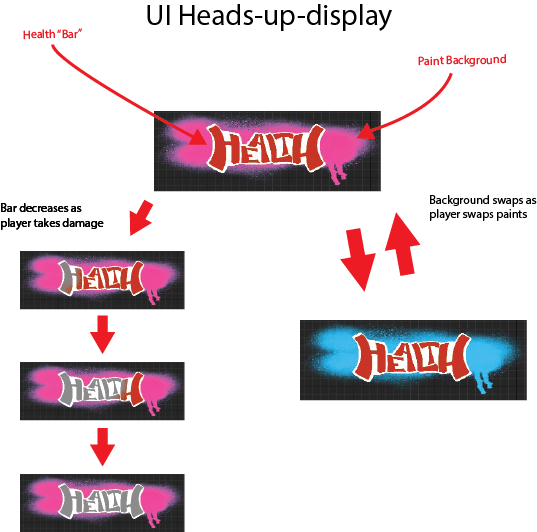
Wireframe that shows how the final UI changes based on the current game state.
ROLE 2
Experience Design
Another area I focused on was with creating immersion and promoting interaction in the game. This sections covers some visual design I was doing in terms of particle effects in the game and level design to make the game feel good to run through. I was not the lad for level design, but helped in order to promote good game feel. One of the main systems I worked on was creating particle effects for the game for paints splashing and enemies taking damage in order to feel more immersive. I worked on creating realistic paint splashes as 2D images to save processing power in the game while making them look good to make the application of paint to surfaces feel more natural in the game world.

First test of new paint splash effect and application in Editor of old build
Team Enigma
Matthew Villa – Game Producer
Sparrow Hopp – Game Programmer, Product Owner
David Silverman – Game Programmer
Bryant Koziol – Sound Designer, Systems Designer
Andrew Fay – Level Designer
William Chrin – UI/UX Designer
Eva Colabatistto – Environment Artist
Justin Bissonette – Character Artist
Khira Dwyer – Animation Artist
Research
The research done for Project Paint was on platformer and puzzle mechanics. I found several sources on how game feel for collection platformers has developed ever since the start of games and how teaching the player through the environment and through situations is a good idea for a tutorial. This was incorporated into our game through crafting specific parts of our level to use our paint bounce mechanic. At first, gaps were incorporated that the player could jump across, but later on, others needed the paint to be put out and bounced on to cross. These pits allowed the player to get out without any trouble to try again, but later ones incorporated traps and enemies below to increase the tension and danger. Another area I researched was how game feel is incorporated into the environment and actions a player takes. I helped to incorporate sounds into our environment to make it feel lived in and sounds into the player jumping and using paint to make those actions impactful. I also created effects for the player shooting paint at the environment and coordinated with our artists to make those effects work with the art style. These effects and sounds made sure the player knew what they were shooting and how it was affected through color changes and splashing visual effects on the screen.
Documentation
Menu Documentation
This document is a Wireframe of our pause menu and what it leads to. It is pretty simple as a visual way to represent it and how it functions.
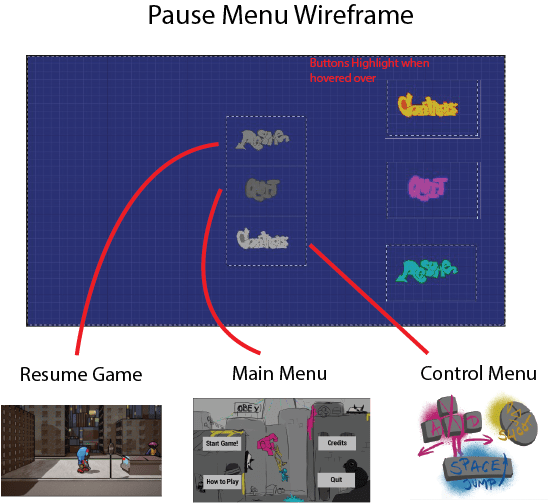
The main image is a view of the menu in Editor. It has 3 stylized buttons that highlight when hovered over and clicked on to give visual feedback to the player. Resume will exit out of this screen and return the player to the game. Quit will return the player to the main menu. Controls overlays the stylized controls screen onto the pause menu which can be exited from by clicking anywhere.
Visual Design Guide
This document shows the system and loop of the core gameplay through visuals in the game.
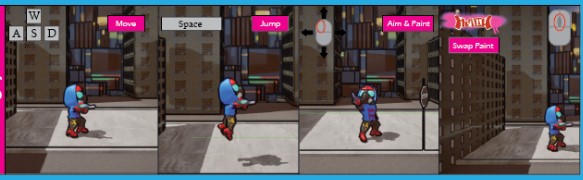
Controls were important to show off as to demonstrate how the player actually interacts and moves in the game. We have a basic system for 2D movement with A and D moving the player left and right, space allowing the player to jump, and the mouse used for aiming and firing paint onto surfaces.

This section explains paint interactions with enemies. Paint normally is applied to the level to make it have different properties, but enemies have to be painted by shooting them a few times in order to be defeated. Enemies are visually shown to be covered in paint so the player knows when they can be jumped on to defeat them.
 William Chrin